Login page configuration
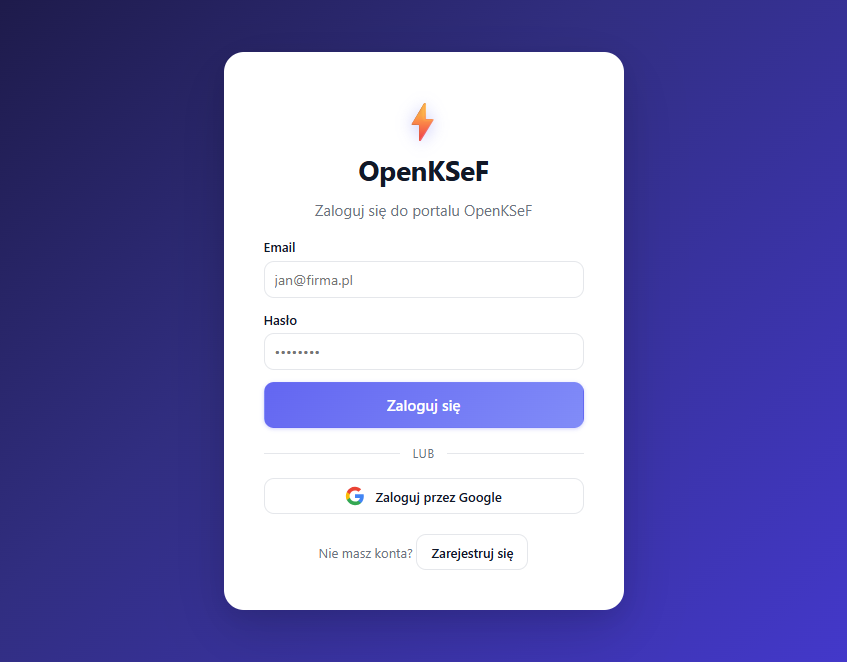
The portal /login authenticates directly through Keycloak (without redirect). It supports three methods:
- Username and password -- ROPC grant via
oidc-client-ts - Google sign-in -- Keycloak IdP brokering (
kc_idp_hint=google) - Registration --
POST /api/account/register(Keycloak Admin API), then auto-login via ROPC
Google OAuth login (optional)
Skip this section if you don't need Google sign-in -- the button will show an error if it's not configured.
Step-by-step configuration
- Open Google Cloud Console > Credentials
- Create an OAuth 2.0 Client ID (type: Web application)
- Add authorized redirect URI:
{APP_EXTERNAL_BASE_URL}/auth/realms/openksef/broker/google/endpoint
Examples:
- With ngrok:
https://abc123.ngrok-free.app/auth/realms/openksef/broker/google/endpoint - Locally:
http://localhost:8080/auth/realms/openksef/broker/google/endpoint
- Enter the credentials in the setup wizard (Step 5: Integrations > Google OAuth)
User registration
The registration endpoint requires a Keycloak service account with manage-users permission.
If you used the setup wizard, this is configured automatically.
Manual configuration
- Open the Keycloak console: http://localhost:8082/auth/admin (admin / admin)
- Go to Clients > openksef-api > Credentials
- Copy the Client Secret
- Set it in
.env:
API_CLIENT_SECRET=<paste-secret>
-
Make sure the service account has the
manage-userspermission:- Clients > openksef-api > Service Account Roles
- Assign
realm-management>manage-users
-
Restart the API:
docker compose restart api
info
Without API_CLIENT_SECRET, registration returns 503 Service Unavailable. Login and Google sign-in work independently.